Signing in to a Team or a Group with a Attendance QR Code

Created by Get Chatty, Modified on Tue, 19 Jul, 2022 at 4:14 PM by Get Chatty

1. Using your mobile device's camera app or QR Scanner, scan the QR code for the appropriate Sign in Sheet.
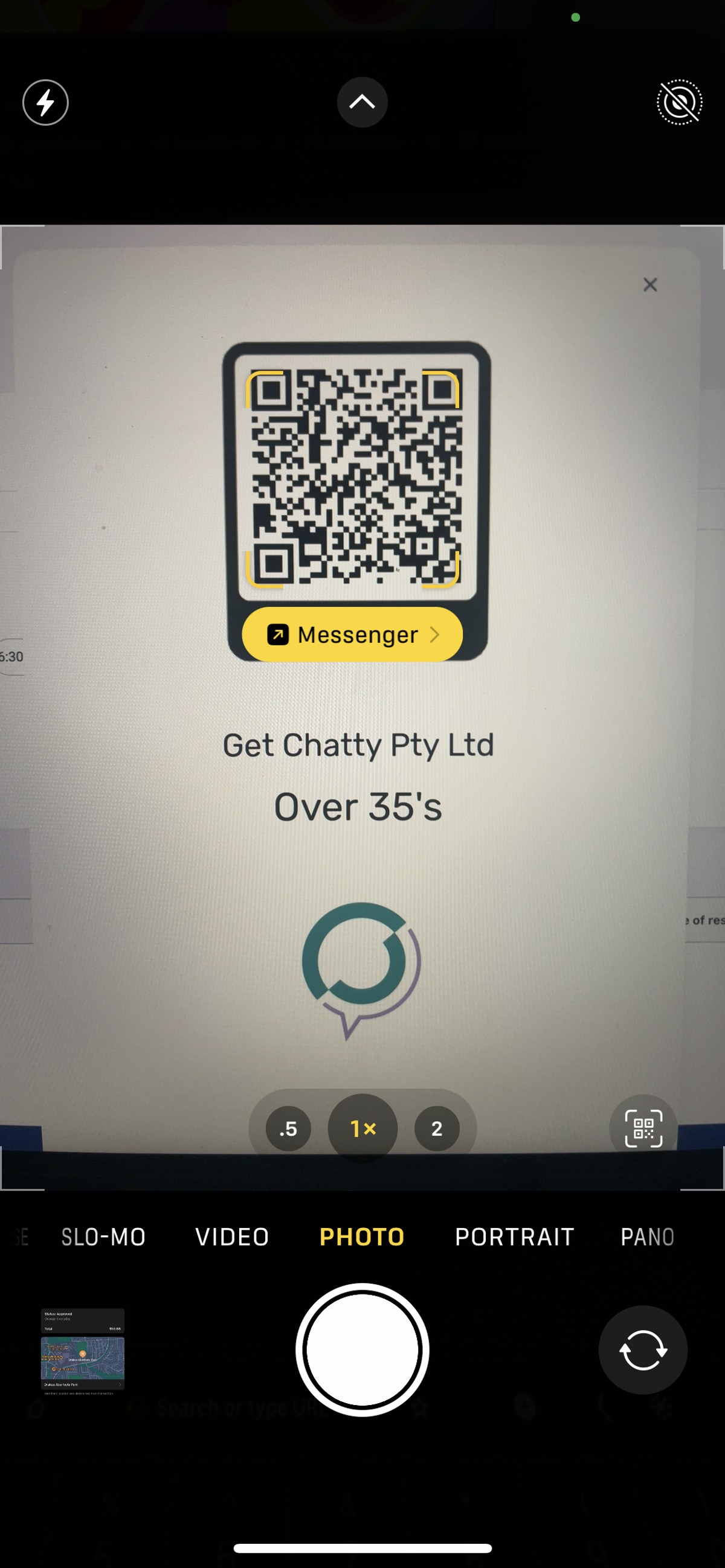

Using your mobile device's camera app or QR Scanner, scan the QR code for the appropriate Sign in Sheet.


2. Confirm you are signing into the right Team or Group & press the "Sign me in" button
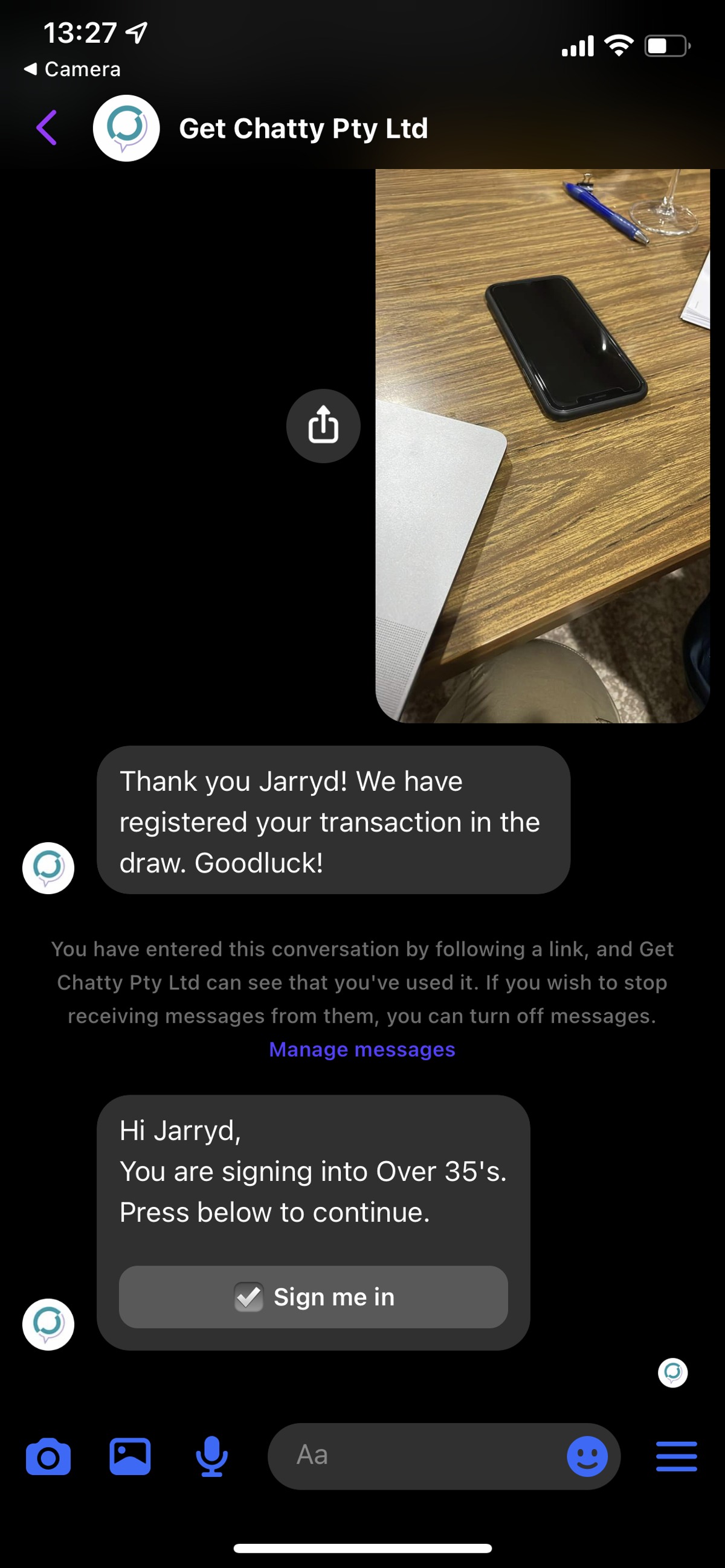
Confirm you are signing into the right Team or Group & press the "Sign me in" button


3. You will receive confirmation your sign in as been recorded with the date listed.
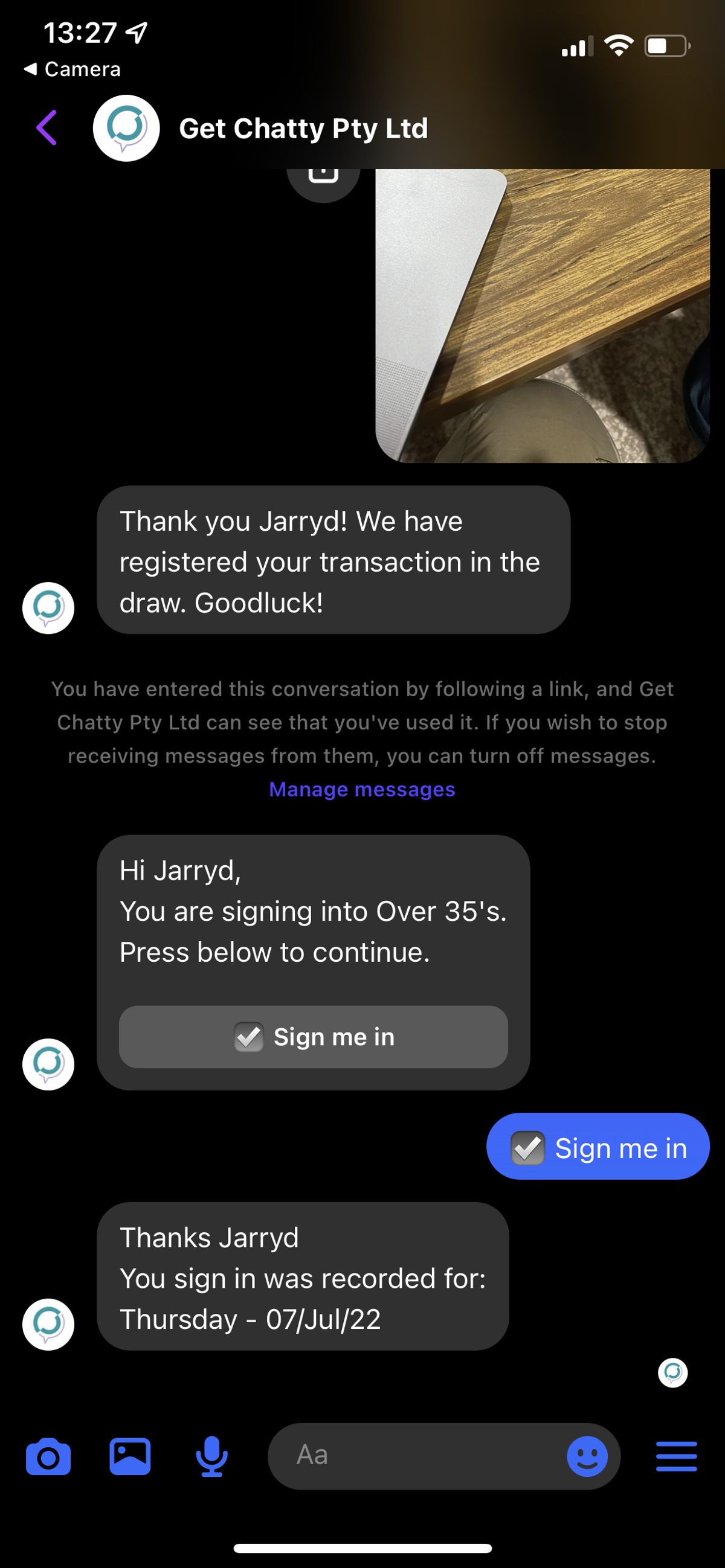
You will receive confirmation your sign in as been recorded with the date listed.


This workflow was created with Tango. 

Was this article helpful?

That’s Great!

Thank you for your feedback

Sorry! We couldn't be helpful

Thank you for your feedback

Let us know how can we improve this article!

Select at least one of the reasons

Feedback sent

We appreciate your effort and will try to fix the article